 09:14
09:14
A quote over the phone
The call takes three minutes and leaves nothing behind but a feeling that „it was around seven hundred".
Callo - your phone-call sidekick
You remember calling someone before one o'clock, but not what you agreed. You scroll the calendar back to one and there it is: who, what about, and what came of it.
Callogue is on Google Play.
It is an Android app that reads phone call recordings your device has already saved
and turns them into transcripts, summaries, agreed points and calendar entries.
Before you install, one thing is worth checking - because without recordings in your
phone's storage the app can do nothing.

You call your accountant about the VAT return. The call runs under three minutes. Out of it come two missing invoices, one figure and one deadline - plus a commitment that is yours, because you are the one sending the scans.
A week later you remember none of it. You know only that you called on Saturday, some time before eleven. You open the calendar, scroll back to Saturday, and find an entry you never created.
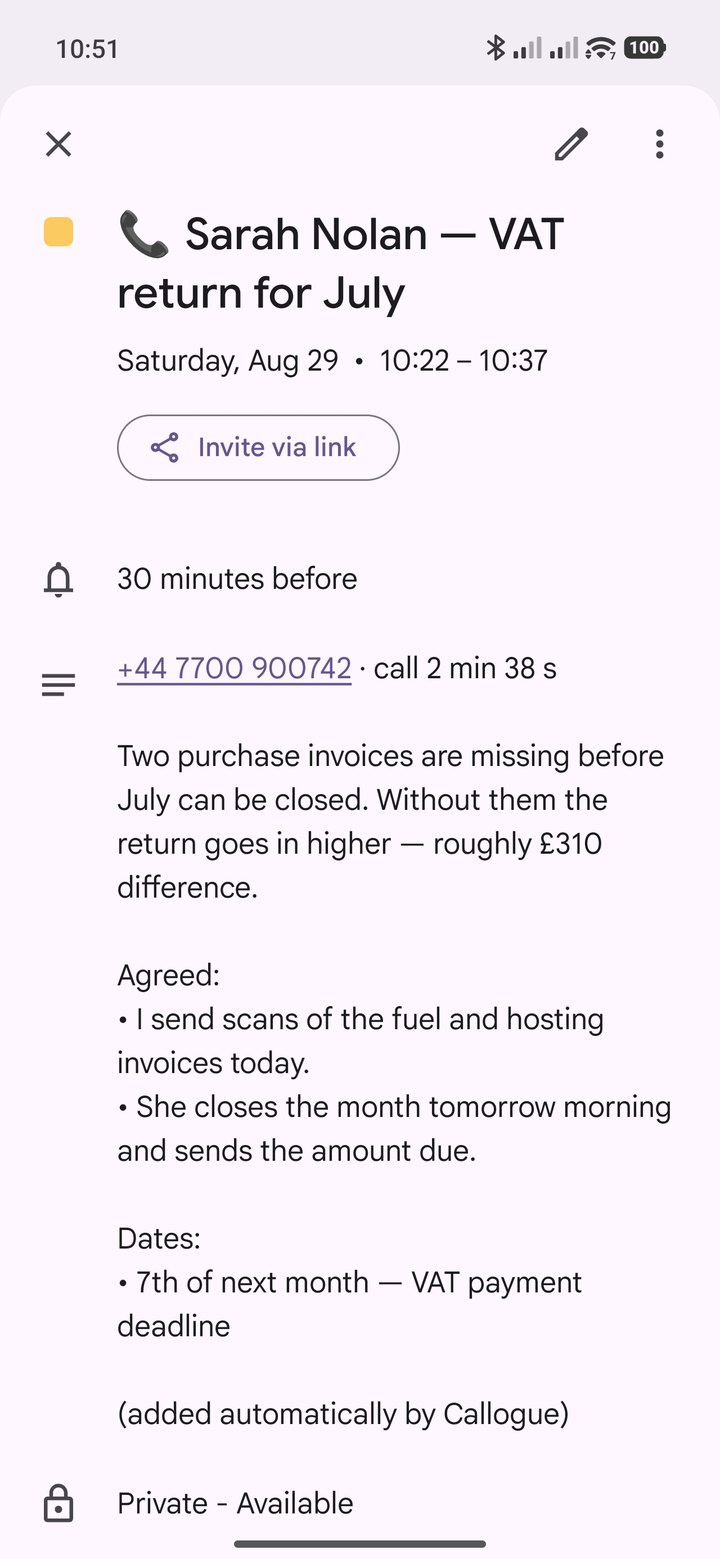
The entry you never created
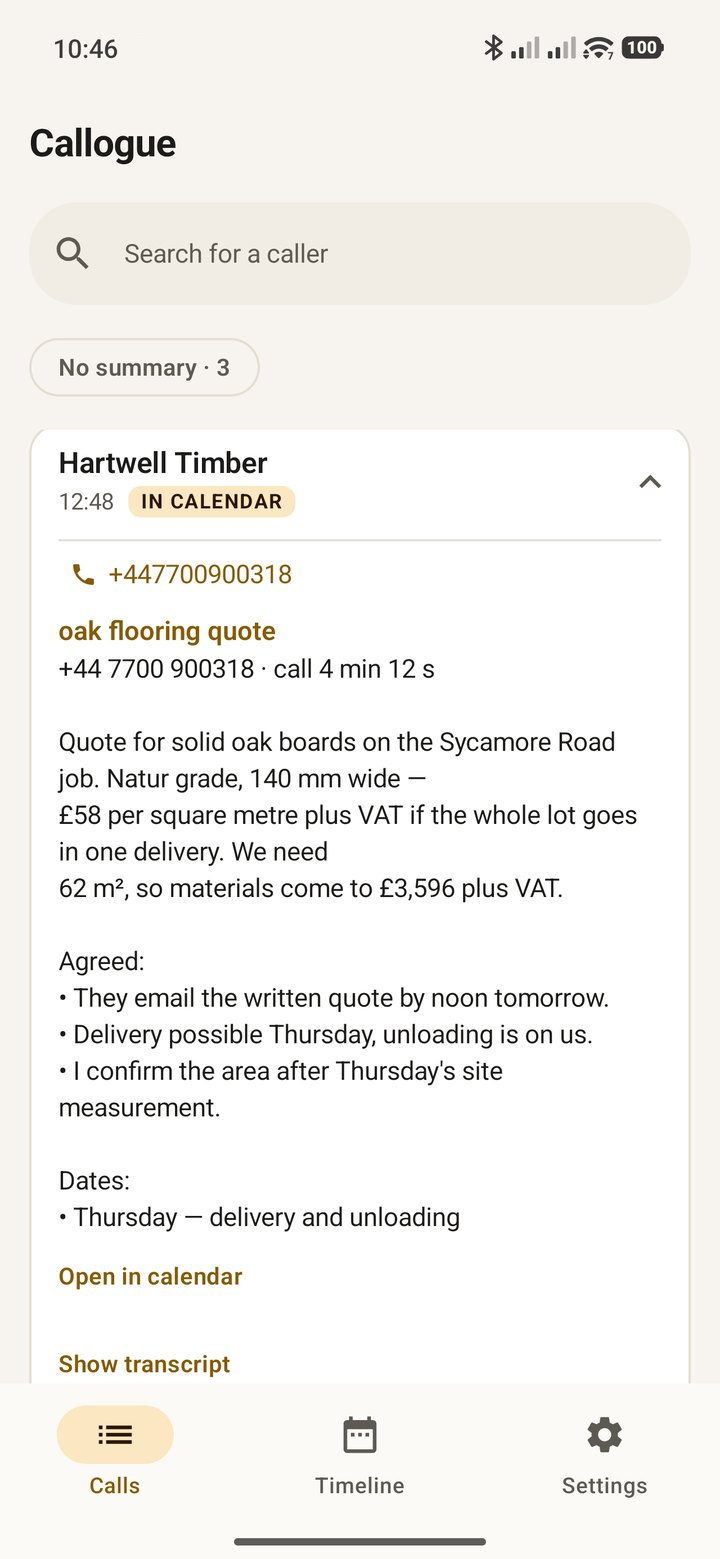
The whole call fits in the event description: the number, the length, what was agreed and by when. You typed none of it.
One entry is a curiosity. The value shows up after a week, when the calendar holds every call - alongside your normal events, not instead of them. Call entries are marked as free, so the day still looks free.
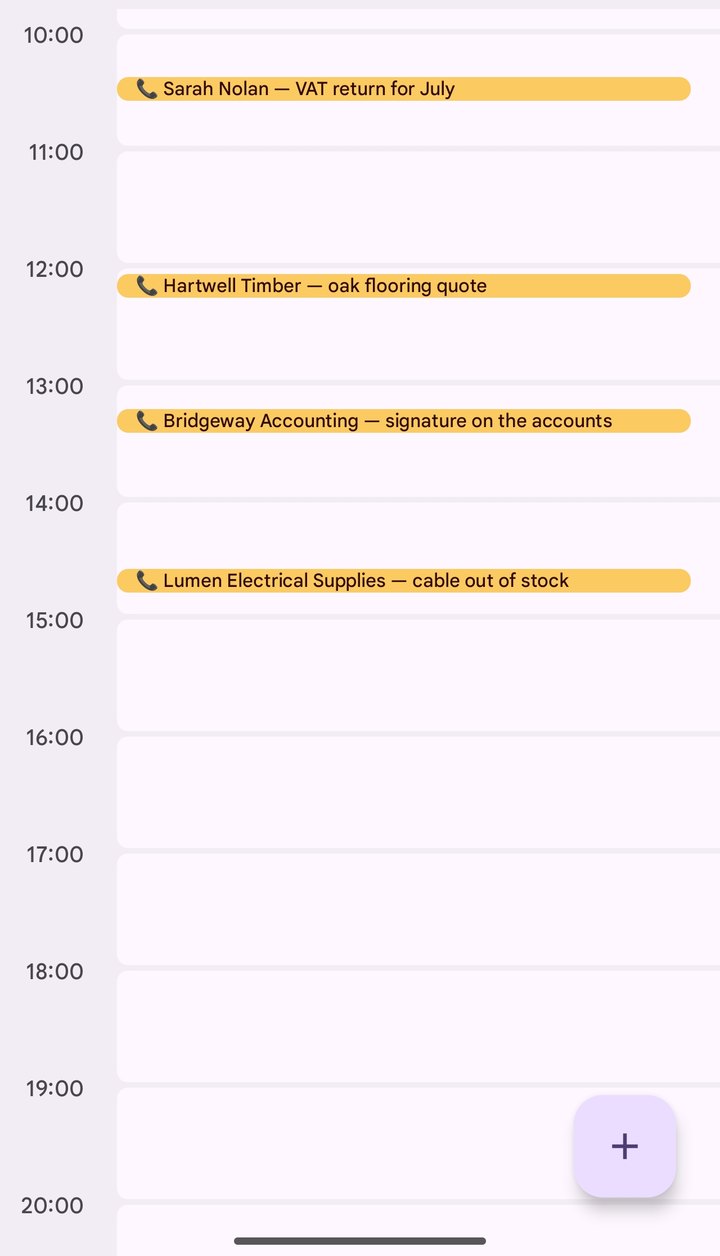
The calendar is where you already look. But when you are hunting for something by what was said, the app has its own timeline - and a search box that reads the content of your calls.
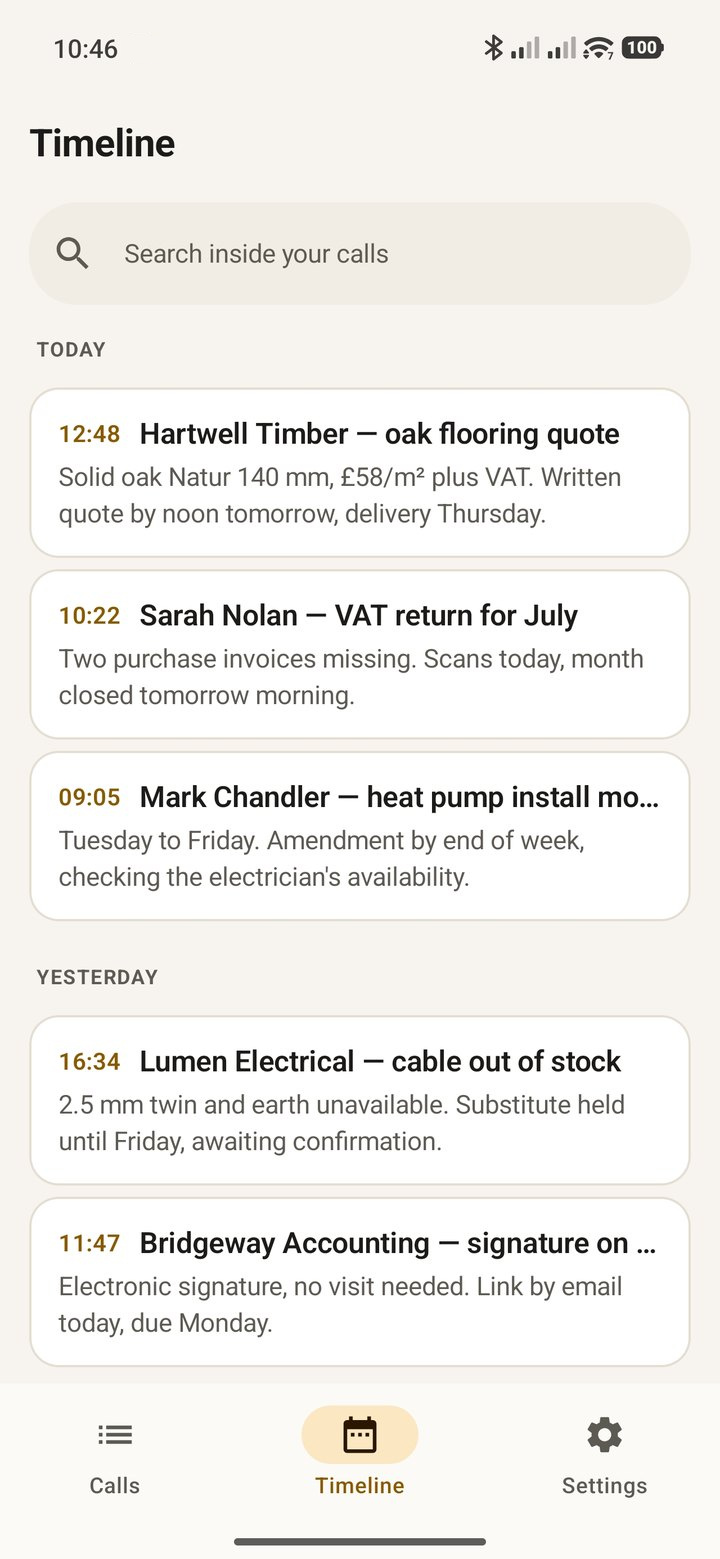
Callogue does not record calls. It reads recordings your phone has already saved - audio files in a folder you point to yourself.
The app is meant for phones that have a call recorder and save recordings to internal storage as ordinary files. If your phone records but keeps the calls only in the manufacturer's cloud, or inside a closed app your file manager can't reach, Callogue won't be able to read them.
✅ Your phone records calls and keeps them in a folder → this app is for you.
❌ It doesn't record, or the recordings sit outside your phone's storage → don't
install it, Callogue will have nothing to work with.
Not sure? Open your file manager and look for a folder of call recordings. If it's there, you're good.
Not in every call. In the ones that leave something behind - a number, a deadline, or somebody's „I'll call you back".
09:14
The call takes three minutes and leaves nothing behind but a feeling that „it was around seven hundred".
 11:02
11:02
You're driving, carrying shopping, standing in a queue. No notebook is coming out, so you're trusting memory.
 13:37
13:37
The agent promises to call back. They give a name and a case number - both gone in the same second.
 16:20
16:20
They say what needs doing and by when. In six months that will still hold. Your memory won't.
 17:05
17:05
A reference number, a surname, a promised date. Three things at once and no paper in reach.
 18:45
18:45
It isn't about one important call. It's that there are several every day, and each leaves a detail behind.
 07:40
07:40
Someone rings before your computer is even on. By noon all you remember is that they rang.
 10:15
10:15
The garage, the clinic, the insurer. Deadlines get agreed at weekends too - nobody writes them down.
„I called someone before one…"
12:48You remember when a call happened without trying. Callogue adds the content to it and files it where you already look - in your calendar.
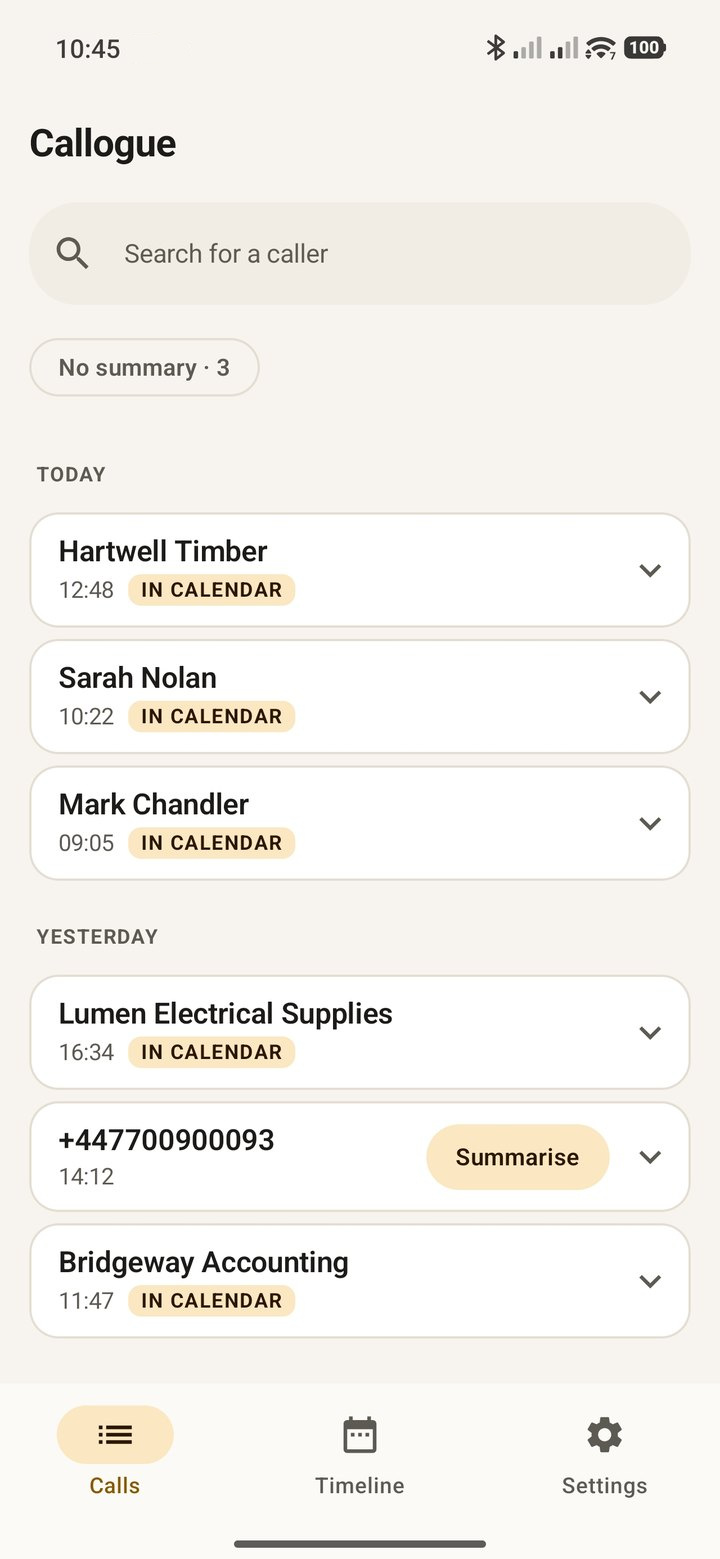
The one you point to yourself using the system picker. New recordings are recognised by filename - that's where the number and the time of the call come from.
The app asks for no access to your phone's storage at large or to your call history. It reaches your contacts only if you allow it, and only when your recorder saves numbers without names.

I only look where you let me in.
First the recording into text, then the text into a few sentences: what the call was about, what was agreed, and what is left to do.
The full transcript stays next to the summary - you can always check what was actually said.

I summarise, but I leave the transcript beside it - you can check on me.
At the time the call took place. Entries are marked as free, so they don't block your day.
That turns your calendar's search box into a search across the content of your calls - type „firewood" and you find a conversation from last month.

I mark the entry as free, so it won't take up your day.
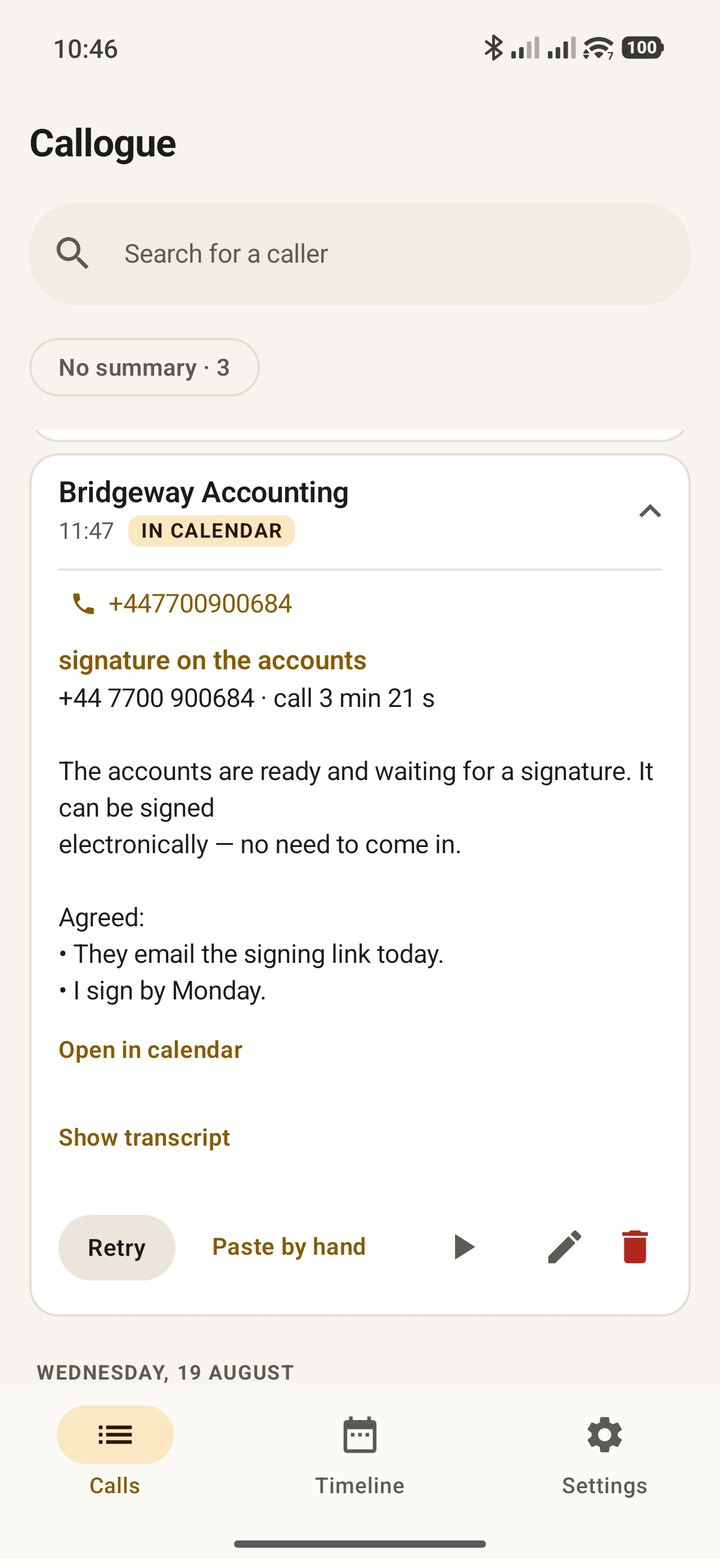
Summaries are written by a language model - and like anyone taking notes on the move, it can garble a name or flatten a thread. So it isn't a record of the call. It is a shortcut meant to lead you back to one.
There is only one record: your recording. It sits on your phone and plays in one tap. The summary you can fix, rewrite or delete - the recording stays untouched.
Under every call
Do not base decisions with legal, financial or health consequences on a summary without checking the recording. Callogue organises your own notes - it is not an evidentiary source and not an official record, and a calendar entry is not a document within the meaning of any law.

You ring for a quote and hear four numbers. You agree a date with nowhere to write it down, because you're driving. You call an office and a week later you can't remember the name of the person who promised to ring back.
Callogue doesn't ask you to change your habits. There's nothing to write down and nothing to remember to switch on - the recording already exists, and the rest happens by itself.
Ten calls a month cost nothing. If they run out sooner, one ad unlocks one more - up to fifteen a day. Or you take the subscription and stop watching the limit - and the ads go with it. There is no third option - either ads or a subscription.
€0
No account, no card, no email address.
€6.99 / month
Cancel any time in your app store, which shows the price in your own currency. In some countries the store offers more than one plan, with its allowance shown before you buy.
Every call is two bills somebody has to pay: one for turning the recording into text, another for summarising that text. Audio is the expensive half - a four-minute call is several megabytes to chew through before there is anything to summarise.
That is why the counter sits on the server rather than in the phone: what gets counted is what actually costs money, and there is no way around it. Calls unlocked by an ad belong to that day - you cannot stockpile them for next week.
When the allowance runs out, the app keeps working. The calendar entry is still created, with the time and the number; only the summary is something you type in yourself.
Turning a recording into a summary happens outside your phone - and we think you have a right to know exactly what we send and where. So the app says it plainly before it sends anything, and names the actual providers rather than talking in generalities.
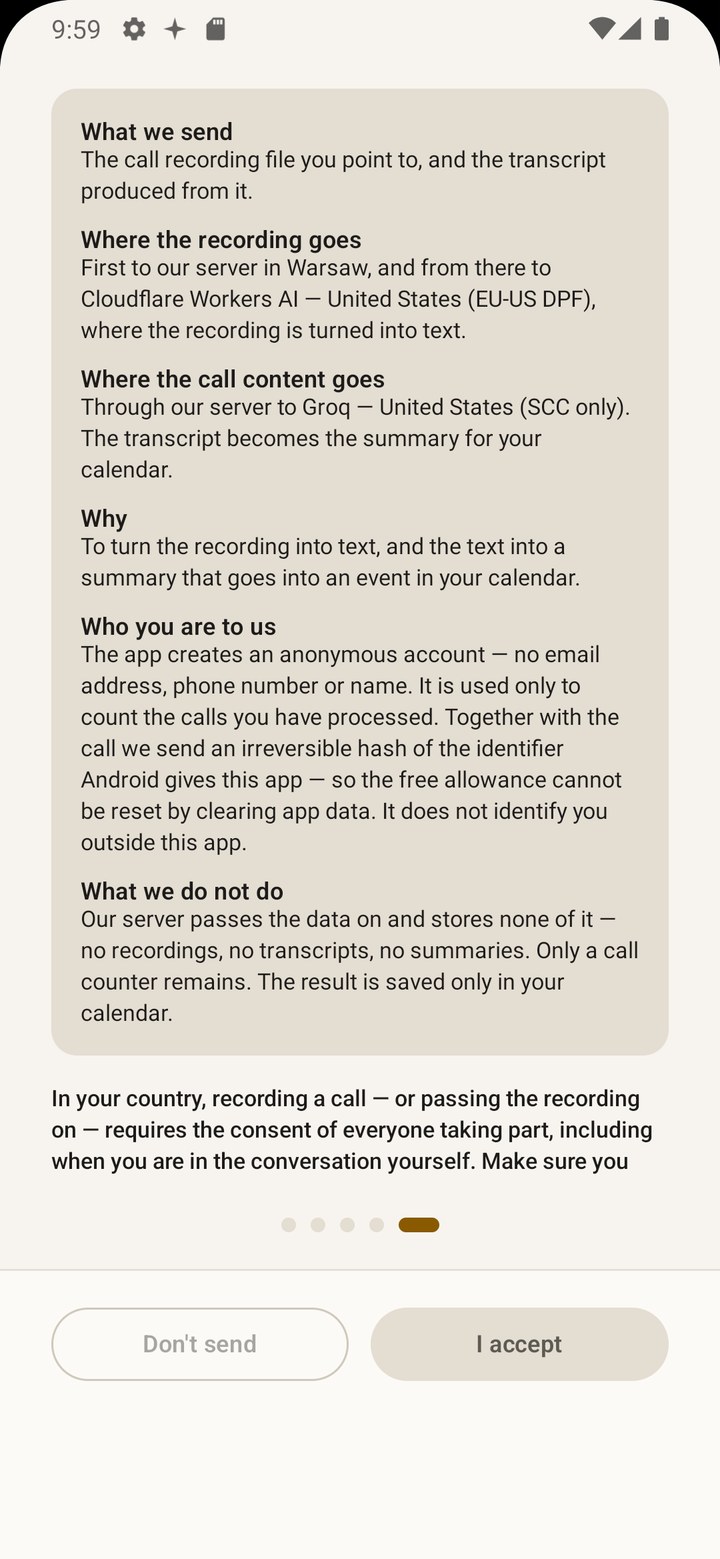
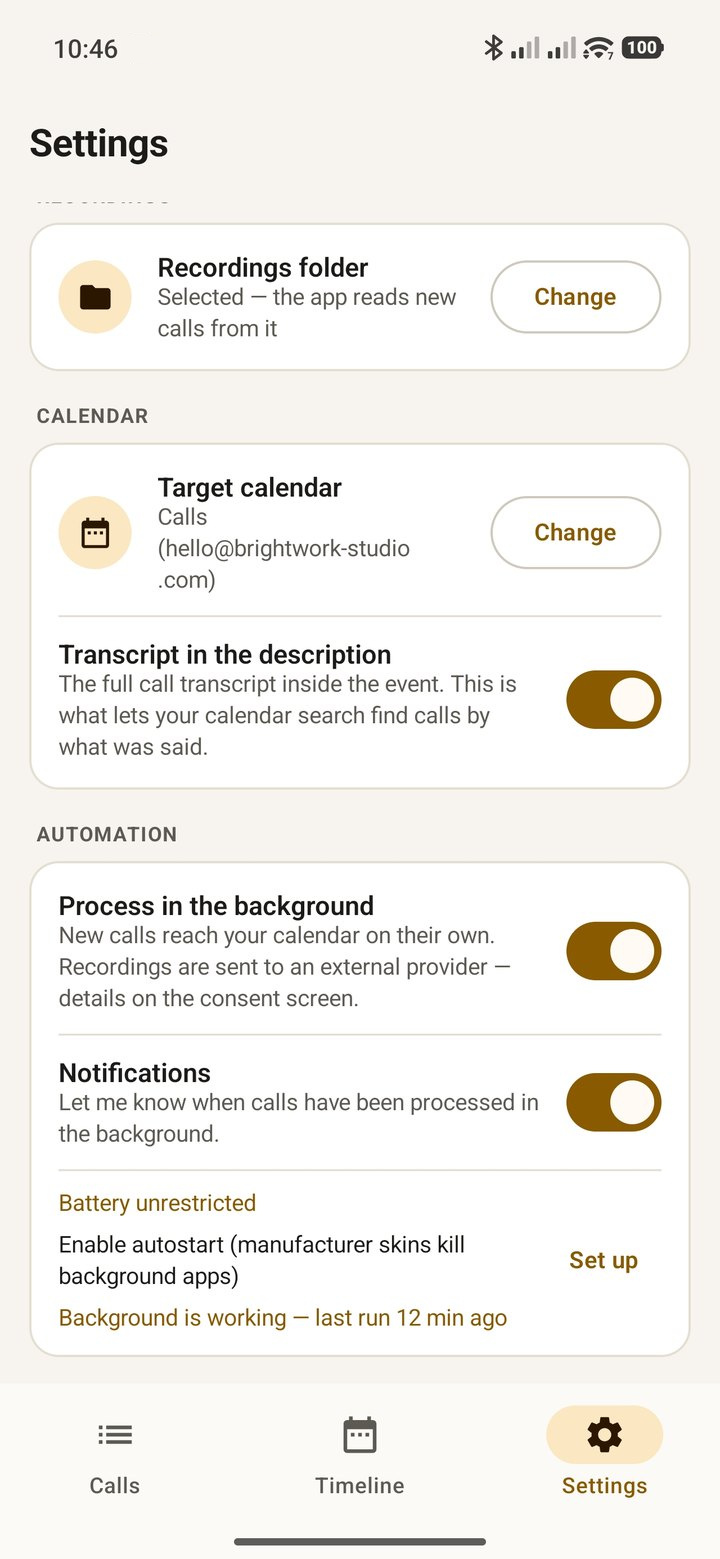
The details - including the list of providers and the bases for transfers - are in the privacy policy.
The rules on recording calls differ from country to country. In some it is enough that you are one of the participants. In others everyone on the call has to agree.
Callogue never records - it reads files you already have on your phone, and those are your responsibility. Before you start, check what applies where you are; there is more in the terms, section 4.1.
Open your file manager and look for a folder of call recordings. It's there - Callogue will have something to work with. It isn't - don't spend time installing, because the app records nothing by itself.
Available on Google Play. It runs on the recordings your phone already saves - check first that it makes them.